
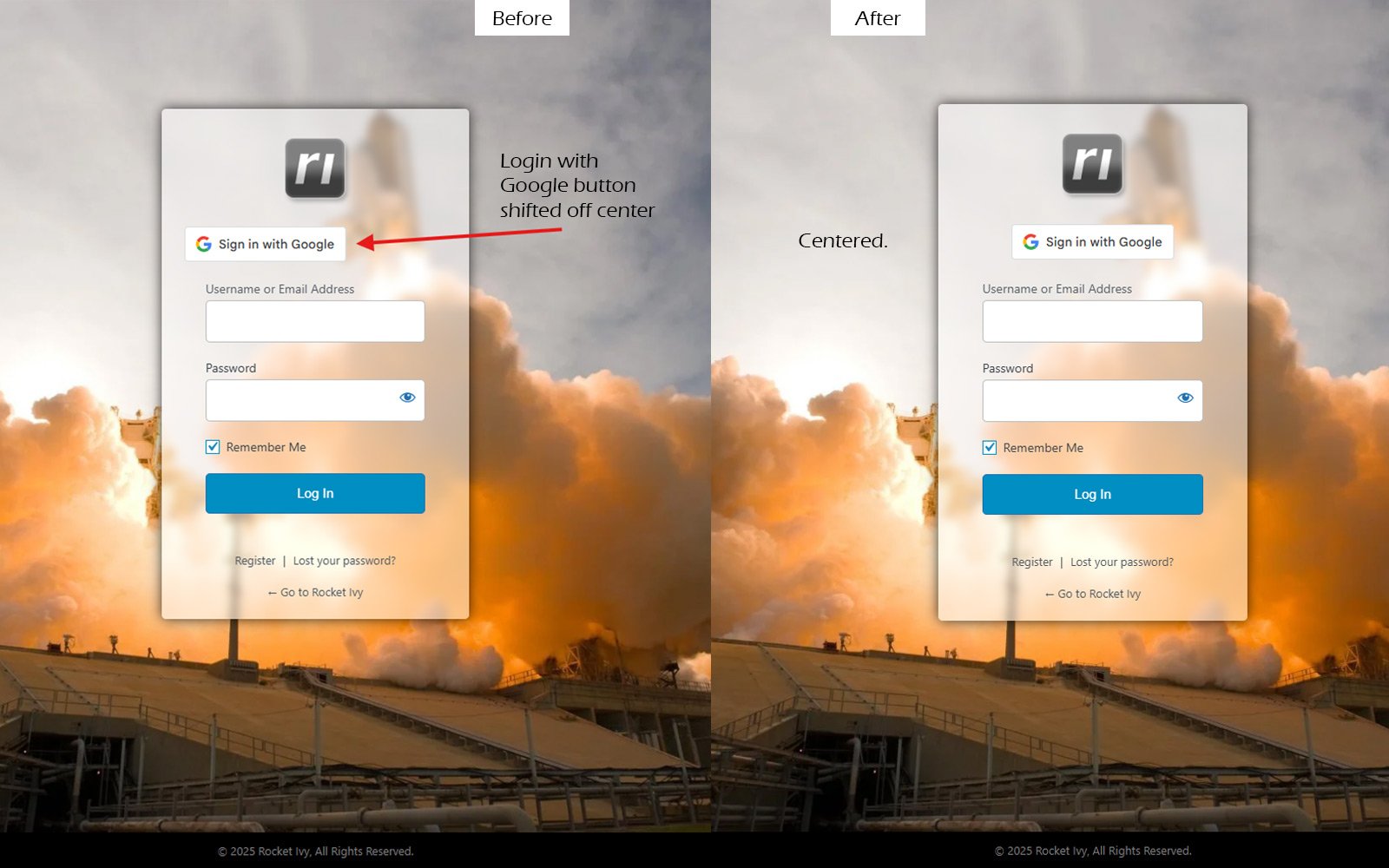
“Sign In With Google” is a great feature we’ve installed on lots of websites to help users login quicker and easier, like we did here on our website.
However, the plugin from Google that installs this button on the WordPress Login page sometimes leaves the button off-center, which really looks bad- especially if you have a nice looking custom login page. So, to fix this and keep your login page looking nice and clean and professional (check out the before and after comparison in this article’s main image) there’s a pretty quick fix that can be done with some minimal CSS.
Quick-Fix CSS Code:
To fix this, you can add a quick CSS snippet to your Custom CSS option in your theme or the WordPress Theme Customizer to fix this layout issue easily:
.googlesitekit-sign-in-with-google__frontend-output-button iframe {
margin: auto !important;
}
We Can Take Care of This For You!
Of course, if you have a website package with us, we’ve probably already fixed this for you. But, if you’re seeing this issue on your login page, we’re happy to fix it, just ask on Chat and we’ll take care of it!